CREATOR GUIDE
How to Write an AI Music Prompt:
Turn a Simple Idea Into a Song Brief
Turn a feeling, scene, or rough idea into a clear creative brief for AI music — including mood, style, instruments, vocals, and song structure.
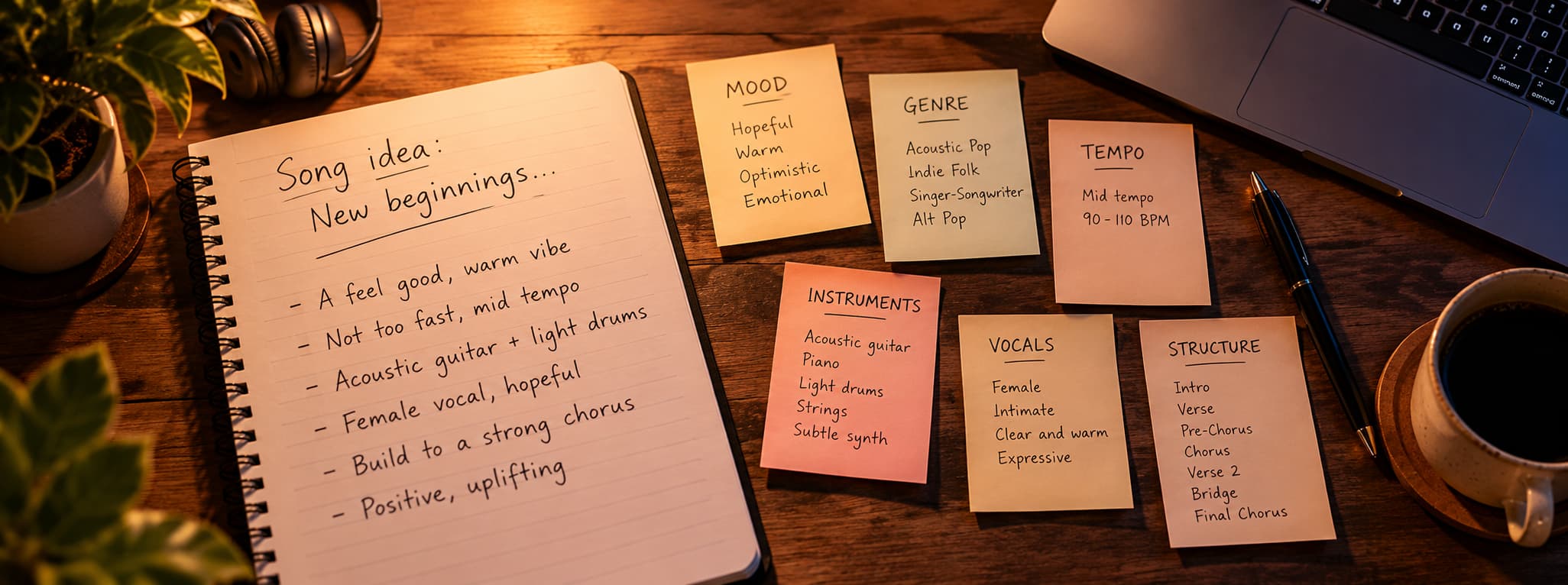
A strong AI music prompt explains what the track is for, how it should feel, what style it belongs to, which sounds should lead, whether it needs vocals, and how the music should develop.
The AI Music Prompt Workflow
Move from the role of the track to its emotional and musical details, then refine the parts that matter most.
- PurposeWhy does this track exist?
- MoodWhat should it feel like?
- StyleChoose the musical direction
- PaceDefine tempo and energy
- InstrumentsShape the sound palette
- VocalsChoose voice or instrumental
- StructureDescribe how it develops
- RefineChange one thing at a time
1. Start With the Purpose
Before deciding on instruments, lyrics, or genre, define what the music needs to do.
A podcast intro, travel film, product demonstration, and standalone song all require different musical behavior.
- Where will the music be used?
- Who will hear it?
- Will it support speech or take center stage?
- What should the listener feel?

2. Describe the Mood
Mood is often the most important part of a prompt, because it shapes every other choice. Instead of a single broad word such as “happy” or “sad,” describe the specific feeling you want the listener to have.
“Hopeful but restrained” gives the AI far more to work with than “positive.” “Tense and cinematic, building slowly” is clearer than “dramatic.” Two or three precise mood words usually work better than a long list.
If the feeling changes over the track, say so. A song can begin quiet and uncertain and finish confident and bright—describing that journey helps the music develop with purpose.
3. Choose the Musical Style
Genre gives the AI a frame of reference for rhythm, production, and arrangement. Pick one main direction—acoustic pop, lo-fi hip-hop, ambient electronic, cinematic orchestral—and add a modifier only when it adds something clear.
Combining too many genres can produce a track that does not commit to any of them. If you are unsure, generate two contrasting styles from the same idea and compare them against the purpose you defined at the start.
Describe the style itself rather than naming a specific artist. Words about the sound—warm, polished, raw, spacious—give useful direction without imitating anyone.
4. Define the Pace and Energy
Pace tells the AI how the music should move. You do not need an exact tempo; phrases such as slow and spacious, steady mid-tempo, or fast and driving are usually enough.
Energy is different from speed. A slow track can still feel intense, and a fast one can feel light. Describe both, and say where the energy should rise or fall—for example, a calm opening that builds toward a fuller final section.
Matching the pace to the purpose matters most for video. Music for a quick-cut social clip needs more momentum than a bed for a reflective interview.
5. Choose the Instruments
Instrumentation shapes the sound palette. Name the two or three instruments that should lead—fingerpicked guitar and soft piano, for example, or warm synth pads with light percussion.
Fewer, clearly chosen instruments usually produce a more focused result than a long list. If the music will sit under narration, ask for an understated arrangement and leave out instruments that compete with the voice, such as busy lead lines.
You can also describe how instruments should behave: a guitar that stays gentle in the verses, or drums that enter only at the chorus.
6. Decide on Vocals
Decide early whether the track needs a voice. If it will play under dialogue or narration, ask for an instrumental and say so clearly. If the music should carry a message on its own, vocals can give it a stronger identity.
When you do want vocals, describe the performance rather than only the voice type. Intimate, clear, warm, or lifted in the chorus tells the AI far more than a single label.
If you already have lyrics, keep them separate from the production instructions. Our guide to turning your lyrics into an AI song with vocals covers structure and singability in detail.
7. Outline the Structure
Structure describes how the music develops over time. A short brief about the sections—and what each one should do—helps the AI avoid a track that stays at one level from start to finish.
- INTROSet the mood
- VERSEIntroduce the idea
- PRE-CHORUSBuild anticipation
- CHORUSMain emotional payoff
- VERSE 2Develop the story
- BRIDGEIntroduce contrast
- FINAL CHORUSReturn with more impact
Not every track needs every section. A background bed may only need an intro and a steady main section, while a full song benefits from clear contrast between verse, chorus, and bridge.
From a Vague Idea to a Focused Music Prompt
The difference between a vague prompt and a focused one is rarely length. It is how clearly the prompt describes the feeling, the sound, and the shape of the track.
Too vague
“Make a hopeful song about starting again.”
Clear creative direction
“Warm acoustic pop about rebuilding confidence after a difficult period. Fingerpicked guitar, gentle piano, light percussion, intimate verses, and an uplifting chorus with subtle harmonies.”
A Simple AI Music Prompt Formula
When you are not sure where to start, build your prompt from these six parts. Each one answers a different question about the track.
You do not need a full sentence for every part. A few words each, combined into one focused paragraph, is usually enough.
AI Music Prompt Examples
Warm indie soundtrack
Warm indie-electronic music for a sunset road trip. Soft guitar, atmospheric synths, gentle percussion, steady mid-tempo rhythm, and an uplifting final section.
Background music
Light electronic background music for a product explainer. Keep the arrangement understated, with soft percussion and enough space for narration.
Acoustic pop
Reflective acoustic pop with fingerpicked guitar, intimate female vocal, restrained verses, and a brighter chorus about starting over.
Refine the Brief After Listening
Change one or two things at a time so you can tell what actually improved the result.
| What you hear | What to change |
|---|---|
| Too generic | Add clearer mood, genre, and instrumentation |
| Too busy | Reduce the number of instruments |
| Wrong energy | Clarify pace and emotional development |
| Vocals feel wrong | Describe vocal tone and delivery |
| Chorus feels flat | Ask for a stronger section contrast |
| Structure feels repetitive | Specify how the arrangement should evolve |
Hear What More Direction Can Change
Compare the result
One Rule to Remember
Describe what the music should do, not just what it should sound like. A prompt that starts from the purpose—and then adds mood, style, instruments, vocals, and structure—gives the AI a clear brief instead of a guess.
Start simple, listen closely, and refine one detail at a time. The best prompts are rarely written in one attempt; they are shaped by hearing what works.
Turn your idea into music.
Start with a mood, scene, or creative direction and turn it into a full track with SonoLabs AI Music.
Create AI MusicFrequently Asked Questions
What should I include in an AI music prompt?
Include the track's purpose, mood, style, pace, instrumentation, vocal direction, and structure. Keep the instructions focused and internally consistent.
Do I need music theory knowledge?
No. Everyday words such as warm, spacious, energetic, intimate, restrained, or cinematic can communicate useful creative direction.
How detailed should an AI music prompt be?
Detailed enough to define the creative direction, but not so long that it contains conflicting instructions. A focused paragraph is often enough.
Can I create instrumental music from text?
Yes. State clearly that the track should be instrumental and explain its intended role, especially if it needs to sit under narration.
Can I include my own lyrics?
Yes. Keep lyrics separate from production instructions wherever the interface allows it.
What should I change if the result is wrong?
Identify the biggest mismatch and change one or two details at a time while keeping the parts of the prompt that already work.